
Daily missions & streaks
Two panels on every member’s dashboard reward consistency: Daily missions — fresh challenges each day — and Streaks — a running count of the days a member keeps showing up. Both reset with the day and both hand out bonus points on top of the usual task and action values.
Daily missions
Section titled “Daily missions”Each child gets a small set of daily challenges (three by default), generated from the tasks and actions actually assigned to them that day. The panel shows a completed counter (for example 0/3) and a card per mission with a title, progress bar and a current/target label.
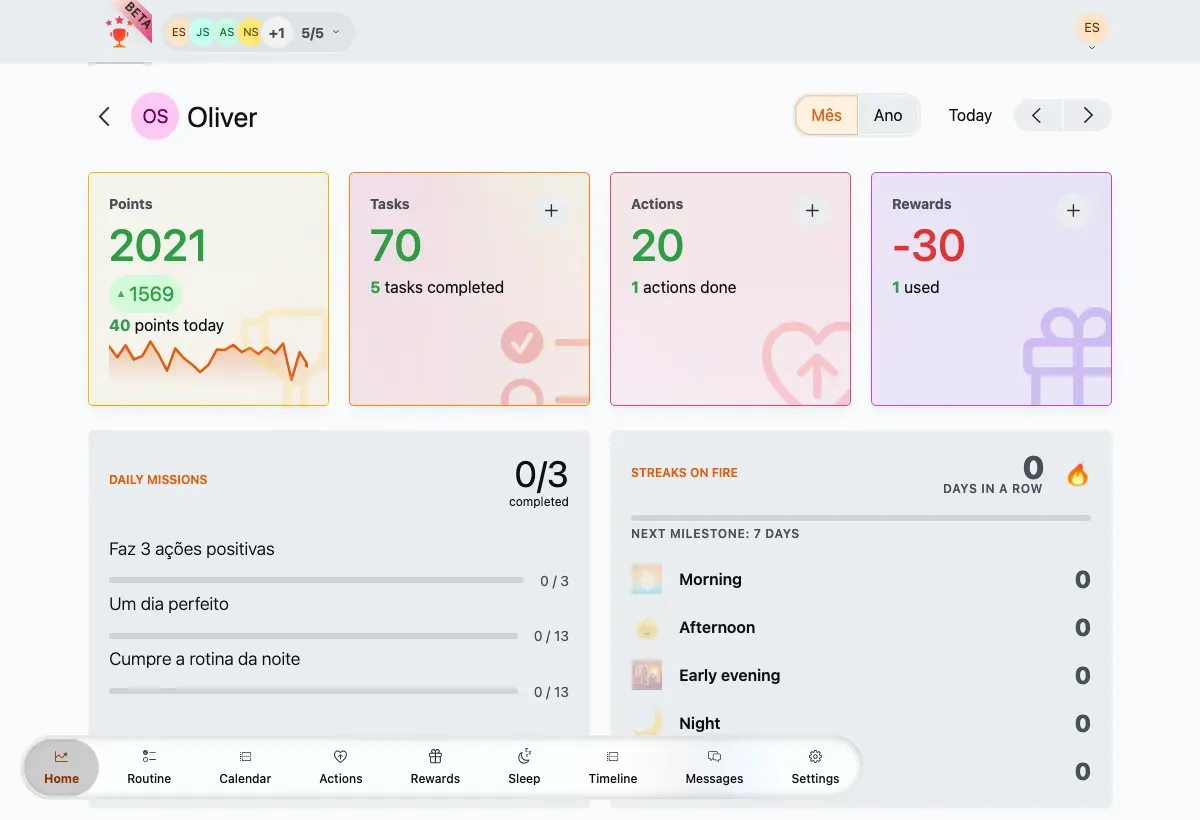
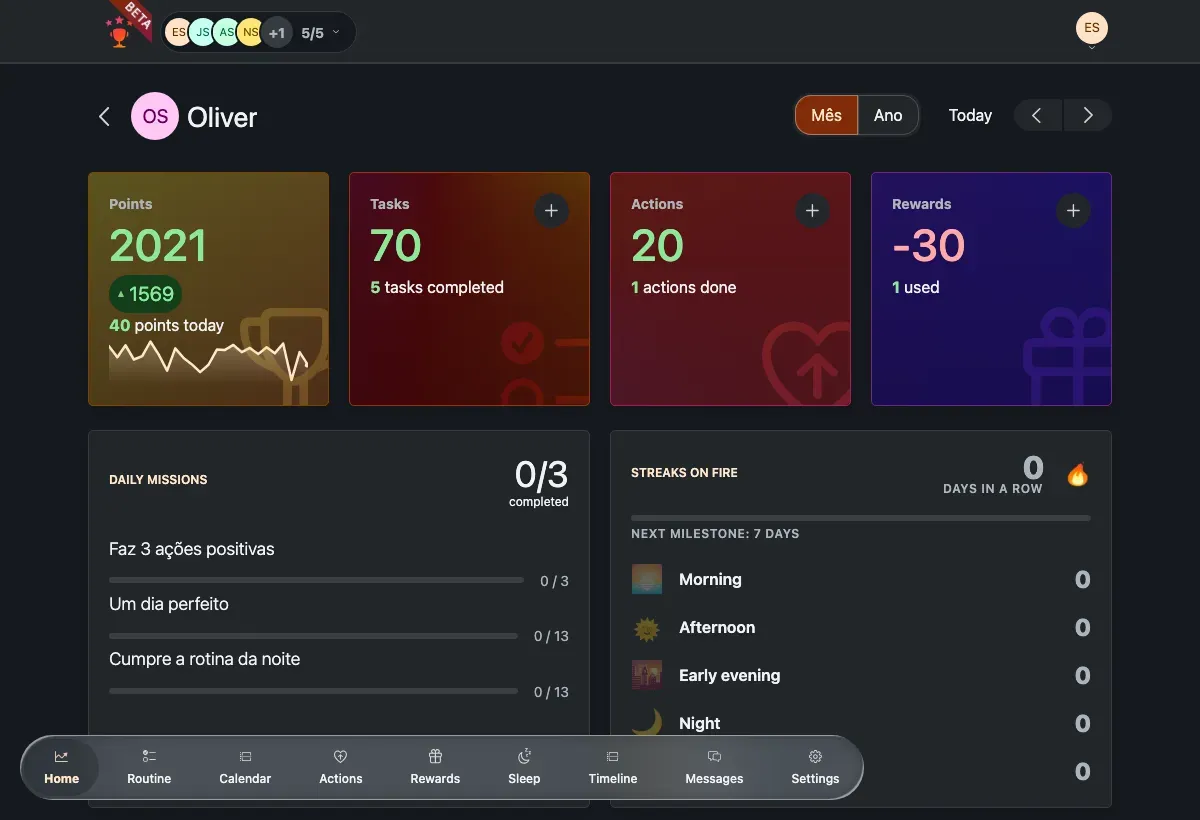
The Daily missions panel — a mix of missions in different states.
Missions can ask a member to, for example, complete a number of tasks, finish all tasks of a type, clear a whole routine segment, do a set number of positive actions, or accumulate a number of minutes. Completing one awards a bonus of 5 to 20 points, sized to the challenge.
A few things worth knowing:
- Missions are generated once a day and shown read-only — you watch progress fill in as tasks and actions are completed.
- Each card moves through in progress → completed → awarded; the header counter totals the ones that have paid out.
- When there’s nothing yet, the panel reads No missions for today. Keep completing tasks to unlock new challenges!
Streaks
Section titled “Streaks”A streak counts the days in a row a member stays active. The panel leads with a 🔥 flame hero — N days in a row — and a milestone bar filling toward the next marker at 7, 14, 30, 60 and 100 days.
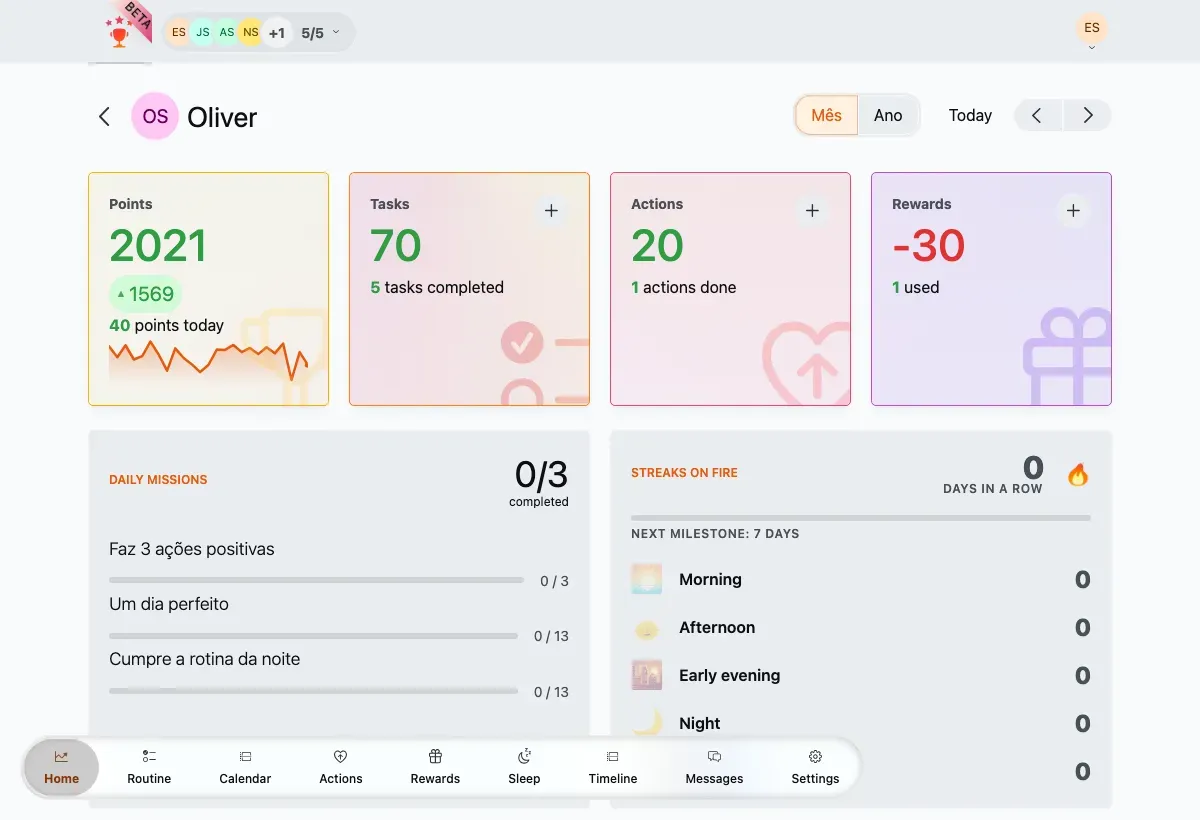
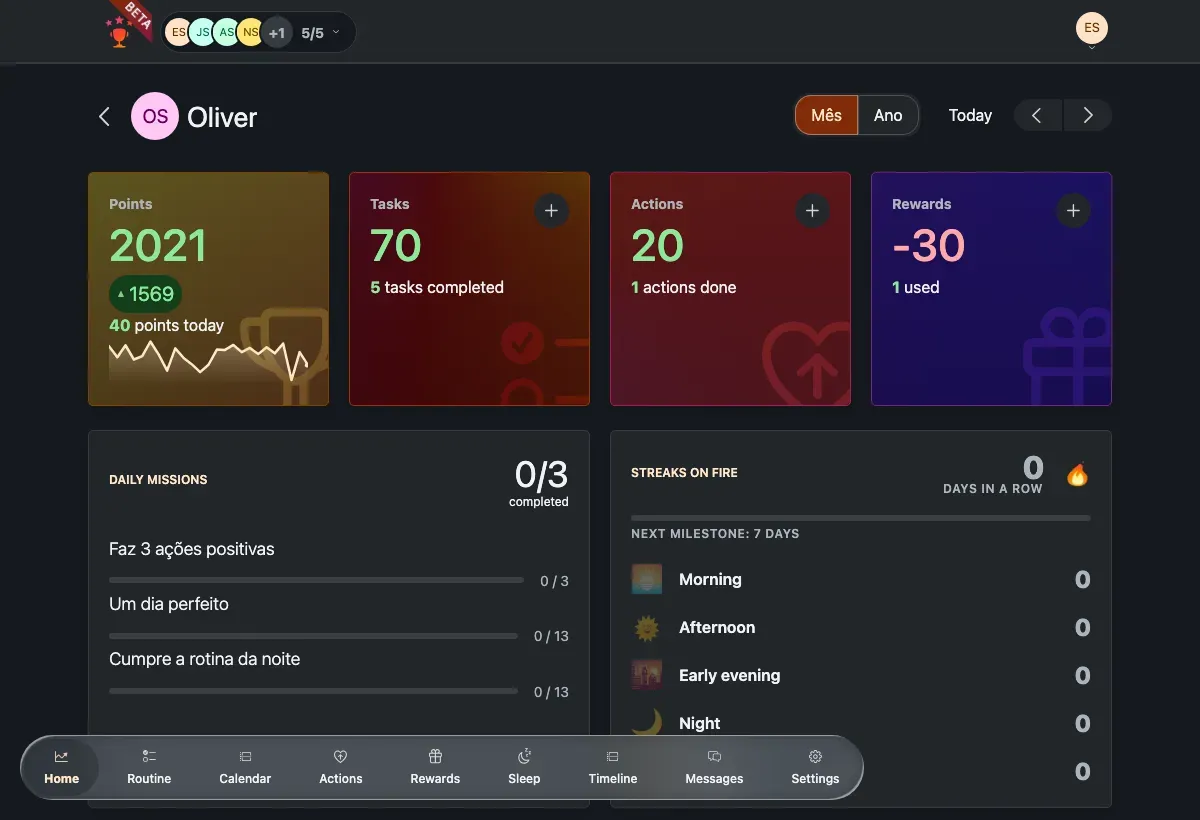
The Streaks panel — the base streak on top, five segment tiles below.
Below the hero, five tiles track streaks for parts of the day. Each keeps its own count and lights up when it’s completed today:
| Segment | When it counts | Time window |
|---|---|---|
| 🌅 Morning | all morning tasks done | 05:00 – 11:59 |
| 🌞 Afternoon | all afternoon tasks done | 12:00 – 16:59 |
| 🌇 Early evening | all early-evening tasks done | 17:00 – 20:59 |
| 🌙 Night | all night tasks done | 21:00 – 04:59 |
| 🏆 Full day | every task assigned that day done | the whole day |
How streaks build points
Section titled “How streaks build points”Streak bonuses stack on top of the base points a task or action earns, and are awarded once a day when the streak improves:
- Base streak — at least one task or action completed that day: +1 point.
- Segment streak — every task in a day-segment done: +3 points per segment (so a busy day can pay out several).
- Full-day streak — every assigned task done that day: +20 points, which already includes the base bonus.
A missed day resets the count to zero — there are no grace periods. Streaks are worked out once a day, at the daily rollover, in your family’s timezone. If a parent fixes a completion the same day, the streak is recalculated so an honest mistake doesn’t break the run.
Bonus points feed straight into the balance on the Points tile.